With the new scripting API available in Mixcraft 11, extended controller support is available. New controller scripts are being added regularly.
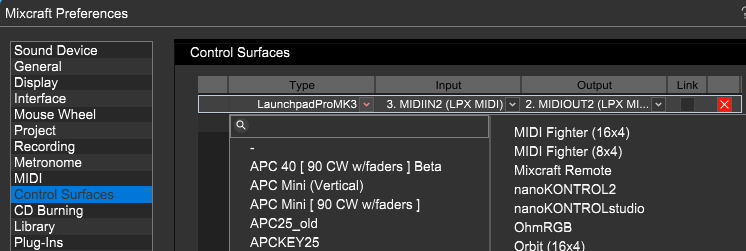
To check if you have a supported controller, open Mixcraft Preferences and select Control Surfaces from the list on the left. Clicking the downward arrow for the Type entry will show the list of available controllers. The Input and Output will need to be set accordingly. Many controllers have a separate MIDI in and out for DAW control, so please consult the documentation in this manual for specific controllers, when applicable.
If you have a suggestion for a controller, please let us know!
Novation LaunchKey 49 & 61 MK3
Novation LaunchControl XL
Novation LaunchPad Pro MK3
AKAI APCKey 25 Mk2
Nektar Panorama P1
AKAI APCmini mk2